
Overview
SID History migration is a useful feature for enabling coexistence during an Active Directory domain migration. For instance, if Contoso acquires Fabrikam and migrates Fabrikam users into the Contoso Active Directory domain, SID History allows those migrated Fabrikam users to retain access to resources (such as file shares, printers, and applications) that remain in the source Fabrikam domain. SID History works by appending the user's source account SID to their new account in the target domain, preserving access until the resources can be fully migrated. Note that SID History sync is intended as a temporary solution.
Prerequisites
To migrate SID History, several prerequisites must be configured in both the source and target domains. These steps are detailed in the Directory Synchronization Prerequisites Guide, starting on page 15.
Prerequisites Checker
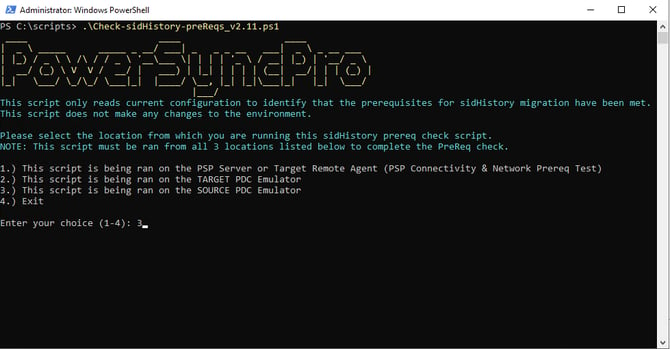
After configuring the prerequisites, use the following script to verify that all requirements for SID History migration are met. Run the script from each of these locations (selected via menu options within the script):
- The PowerSyncPro server (with line-of-sight access) or the target Remote Agent
- The target PDC Emulator
- The source PDC Emulator
The script can be downloaded here: Check-sidHistory-preReqs.ps1
Notes:
- Run the script as Administrator.
- The script is for reporting purposes only; it reads configurations without making changes.
Steps to use the script
1. Verify prerequisites on each host where you'll run it
- Windows PowerShell 4.0 or later (the script will refuse to run on older versions and tell you so)
- Run as Administrator (required for
auditpol, registry reads underHKLM:\System\CurrentControlSet, and AD module operations) - For tests 2 and 3: the host must be the PDC Emulator of its respective domain, with the ActiveDirectory PowerShell module available (RSAT or DC role)
- For tests 1 and 2:
rpcping.exeshould be on the PATH (ships with RSAT / Windows Support Tools). Without it, the RPC High Port test reports SKIPPED rather than failing.
2. Copy the script to each of the three hosts
- Source PDC Emulator
- Target PDC Emulator
- PSP Server (or Target Remote Agent host)
A common location like C:\Scripts\ works fine. The script writes evidence files to a sidHistoryEvidence folder relative to its own location, so place it somewhere writable.
3. Run the script on each host and pick the matching menu option
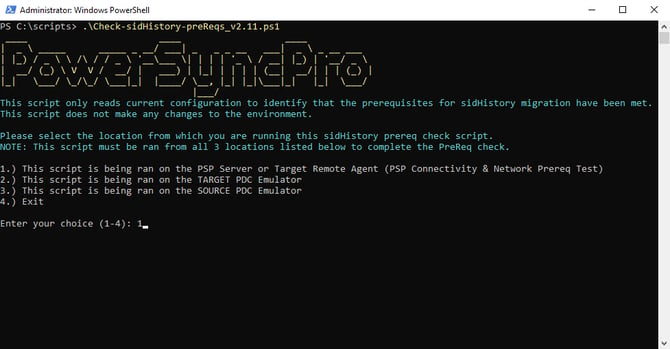
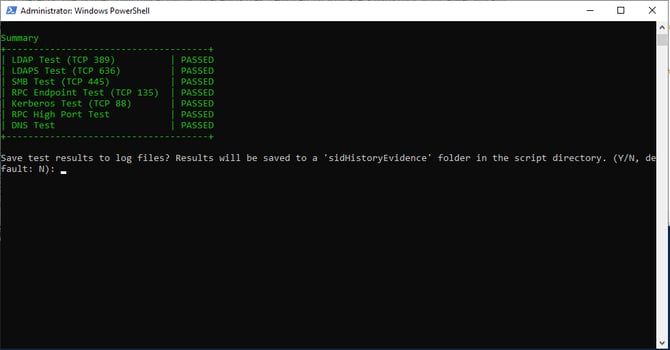
a. First, run Check-sidHistory-preReqs.ps1 from the PowerSyncPro server, or target Remote Sync Agent host:
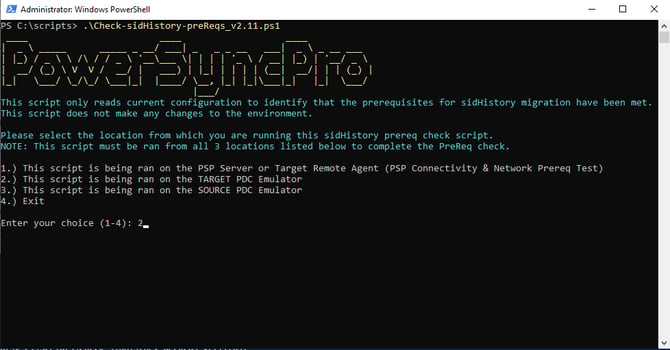
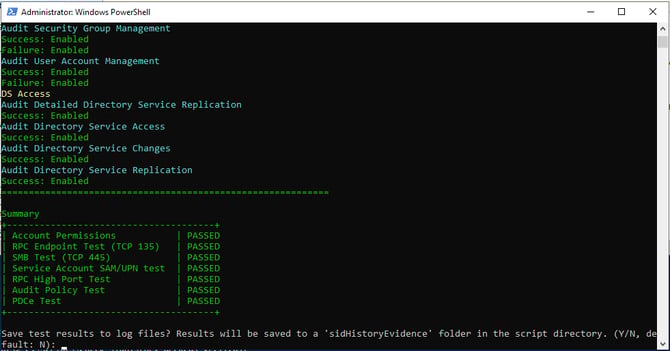
b. Next, run the same sidHistory prerequisite checker PowerShell script on the target AD Domain Controller with the PDC emulator role. You will need to have the following items ready:
- Fully Qualified Domain Name of the source AD PDC emulator
- Target PSP service account - The one that was configured in the target Directory or Remote Sync Agent
c. Finally, run the same sidHistory prerequisite checker script on the source AD Domain Controller with the PDCe role. You will need to have the following items ready:
- Source PSP service account - The one that was configured in the source Directory or Remote Sync Agent
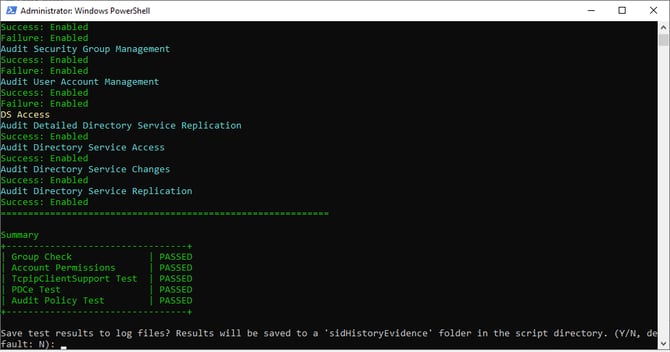
4. Assuming all checks passed, you should be ready to sync SID History.