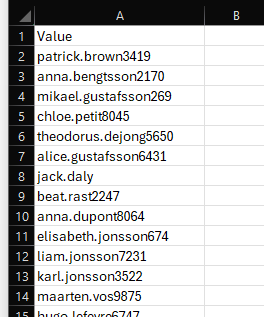
When creating Sync Profiles, you may need to add multiple attributes to the Inclusion or Exclusion lists. These attributes can be entered manually, or imported in bulk using a CSV file and the Import List button.
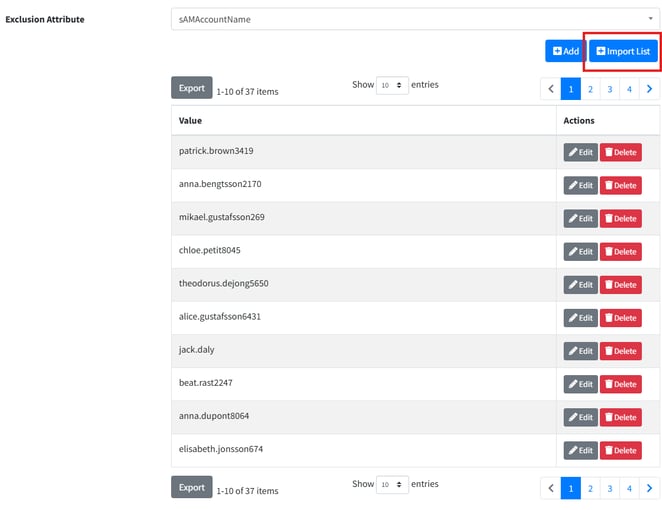 Import List button from Sync Profile
Importing Attributes from a CSV
To import attributes, create a CSV file with a single column using the header:
Value
Add each attribute you want to include on a separate row.
Steps
- Create a one-column CSV file with the header Value.
- Add each attribute name on its own row.
- In the Sync Profile, click Import List.
- Select the CSV file.
The attributes in the CSV will be added to the selected inclusion or exclusion list within PowerSyncPro.