
After booting up your PowerSyncPro server, you notice an unexpected list of user accounts or are unable to view your previous configurations, it is likely you are logged in with the wrong tenant.
View when not logged on with the default tenant
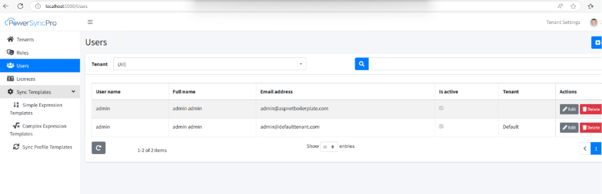
If the user is not logged in with the correct tenant (set to Default), the list of users may not display as expected.
To resolve this issue and ensure you see the correct user list:
- Verify that the current tenant is set to Default.
- To switch tenants, open the following link on your PSP server: http://localhost:5000/Account/Login?ChangeTenant=True.
- Log in again with the Default tenant selected.
- This will ensure that the user list displayed under the Users tab corresponds to the correct tenant.
After Navigating to the link
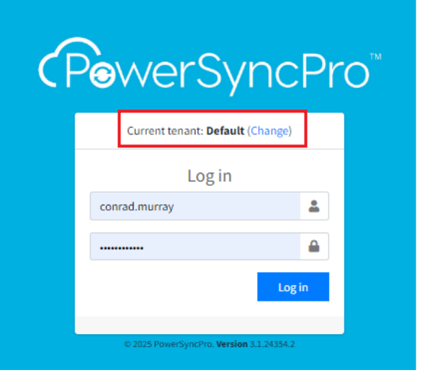
Before logging in ensure that the Current tenant is set to Default.