
Introduction

This means:Grant consent failed with error: Claim is invalid: self_service_device_delete does not exist in client application’s RequiredResourceAccess.
- The scope or permission called self_service_device_delete is being requested
- But the application that is being granted this consent doesn’t declare this permission in the RequiredResourceAccess configuration.
- As a result, Entra refuses to grant consent because it is seen as in invalid claim
When an app requests access to resources it must first:
- Declare the permission in the Azure API permissions portal
- Be granted admin consent for that permission
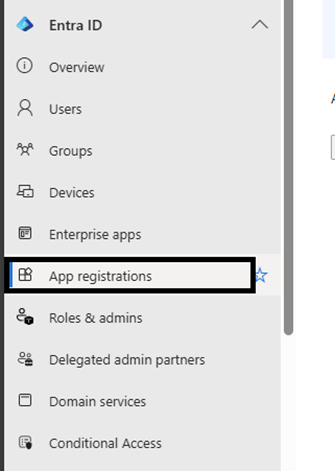
1.Open your Entra ID admin centre → App Registrations → select the app that needs consent.
2.Under API permissions select “Add a permission”
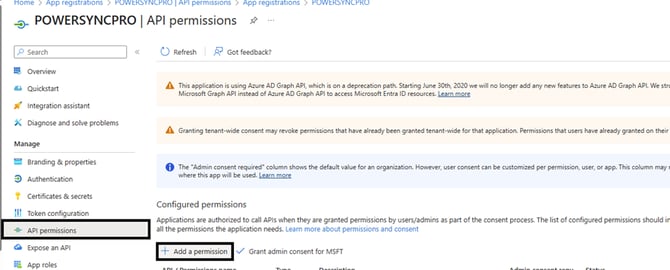
3.Select “Microsoft Graph API” then add the self_service_device_delete permission
4.After adding the permission, select “Grant admin consent for MSFT”.

Once done this error should be resolved, if you have added this permission and still getting the same error, waiting 5-10 minutes has resolved the issue for us in past cases.