Introduction
After adding a Entra ID tenant to your PowerSyncPro server, you will need to generate a bulk enrolment token for said tenant. The steps to do this are well documented in our documentation. But this article will focus on a particular error when generating this bulk enrolment token.
Error
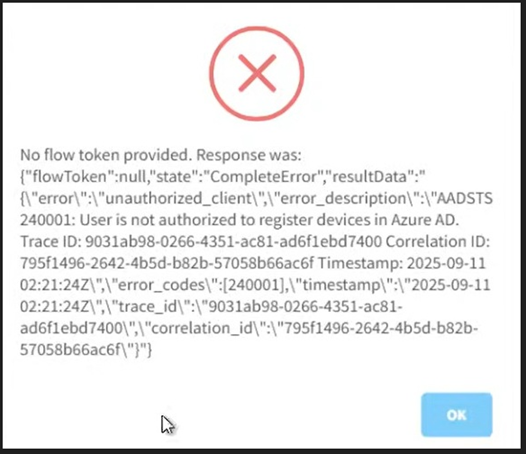
No flow token provided
Cause
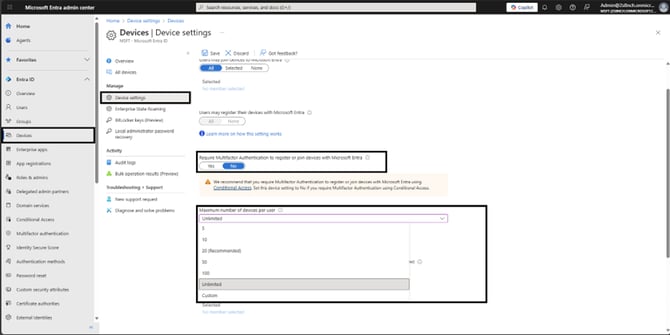
- If the Entra Device limit is not set to unlimited, this error may occur.
- If Multi-Factor-Authentication is set to required, this issue may also occur.
Resolution
- Login to your Entra ID tenant to access the admin portal
- Navigate to Devices → Device settings
- Ensure “Require Multifactor authentication to register or join devices with Entra” is set to No
- Under “Maximum number of devices per user” and select the “Unlimited” option from the dropdown box.