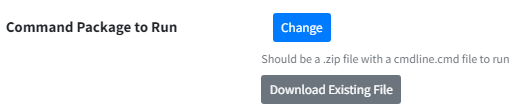
At the start-up or completion of your runbook you can run a script that as the local SYSTEM Account. You will need to package the script within a zip file for it to execute.
Size of cmdline.cmd
PowerSyncPro is not designed as software delivery or the distribution of files, you should keep your script and cmdline.cmd file as small and efficient as possible. Any changes to a runbook will trigger a full download to every workstation in scope for the associated batch.
If you need to distribute a large binary (e.g. installer) you should consider uploading the file to a publicly available URL (e.g. Azure Bucket) and having PowerShell download the file from that location.
There are lots of options here, if you wish to run PowerShell to create a folder here is an example:
Create a file called “cmdline.cmd” this will be run using command prompt. PowerSyncPro Migration Agent will look for a file named cmdline.cmd and execute that.
Put the following code in the script and save
start /WAIT "" "C:\Windows\System32\WindowsPowerShell\v1.0\powershell.exe" -ExecutionPolicy Bypass -File .\myscript.ps1
Logging to PowerSyncPro console
If you would like the output of the script logged directly to the PowerSyncPro console, you can add a /B to the start command. This will log the output of the Batch / PowerShell script to the PowerSyncPro Agent logs.
start /WAIT /B "" "C:\Windows\System32\WindowsPowerShell\v1.0\powershell.exe" -ExecutionPolicy Bypass -File .\myscript.ps1
Then, create another file “myscript.ps1”
<#
    .DESCRIPTION
        This script will create a directory on the system
    .AUTHOR
        PowerSyncPro
    .Version
        0.1
#>

Start-Transcript -Path "C:\windows\temp\PSPScript.txt"

$diagPath = "C:\My_New_Folder"

# Create Directory
if(!(Test-Path -PathType container $diagPath))
{
      New-Item -ItemType Directory -Path $diagPath
      Write-Host "Folder created."
}else{
      Write-Host "Folder exists."
}

Stop-Transcript
You will then zip these two files together into a single compressed file (named anything you like), and upload it to the PSP runbook on either start-up or completion depending on your requirements.